Powered by Apple Intelligence · 100% On-Device

Create. Draw.
Generate. Your way.

Write documents, insert images, sketch ideas, or let AI generate the entire content for you — all on your iPhone, with zero data sent to any server.

Requires iPhone 15 Pro or later · iOS 18+ · Apple Intelligence enabled
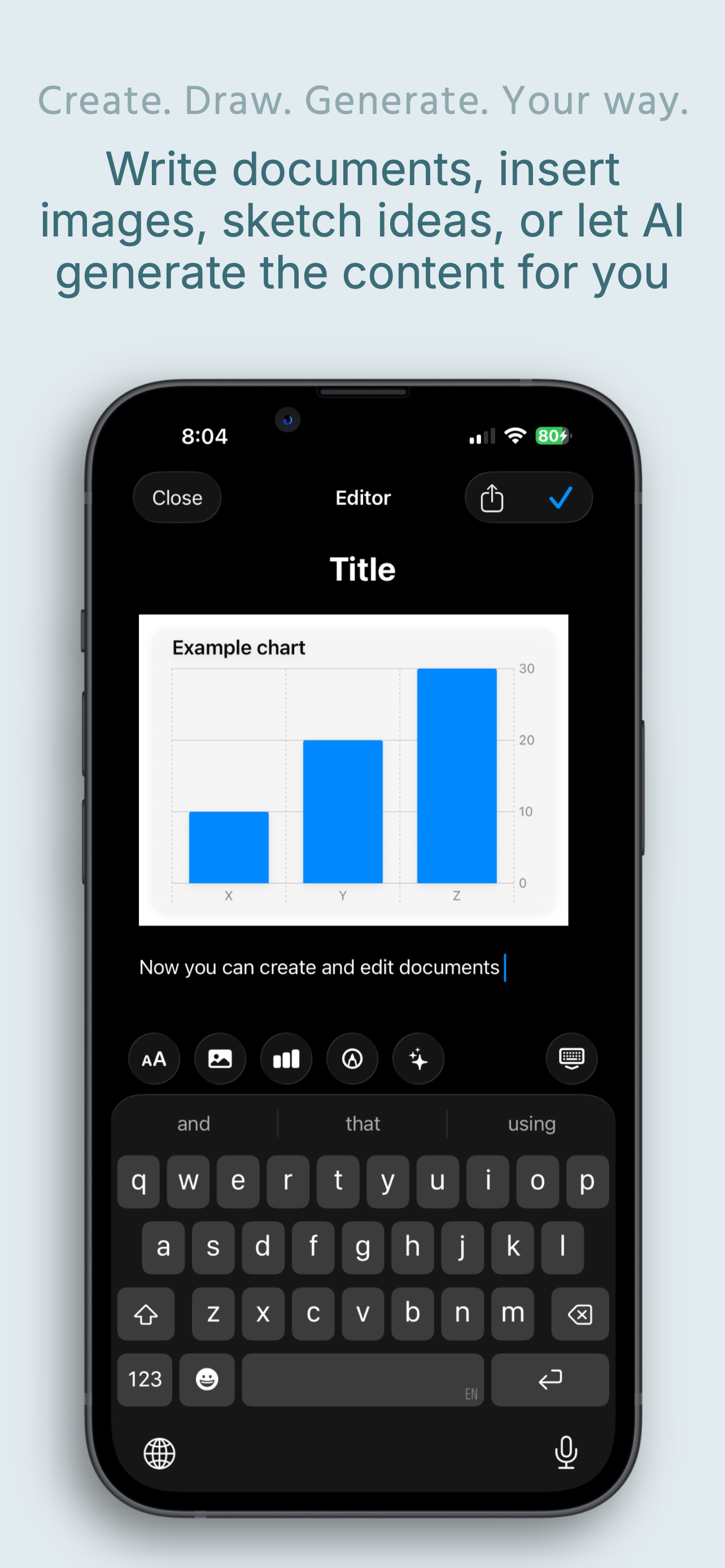
iDocu rich text editor with embedded bar chart
New — AI Document Generation

Describe it. AI writes it.

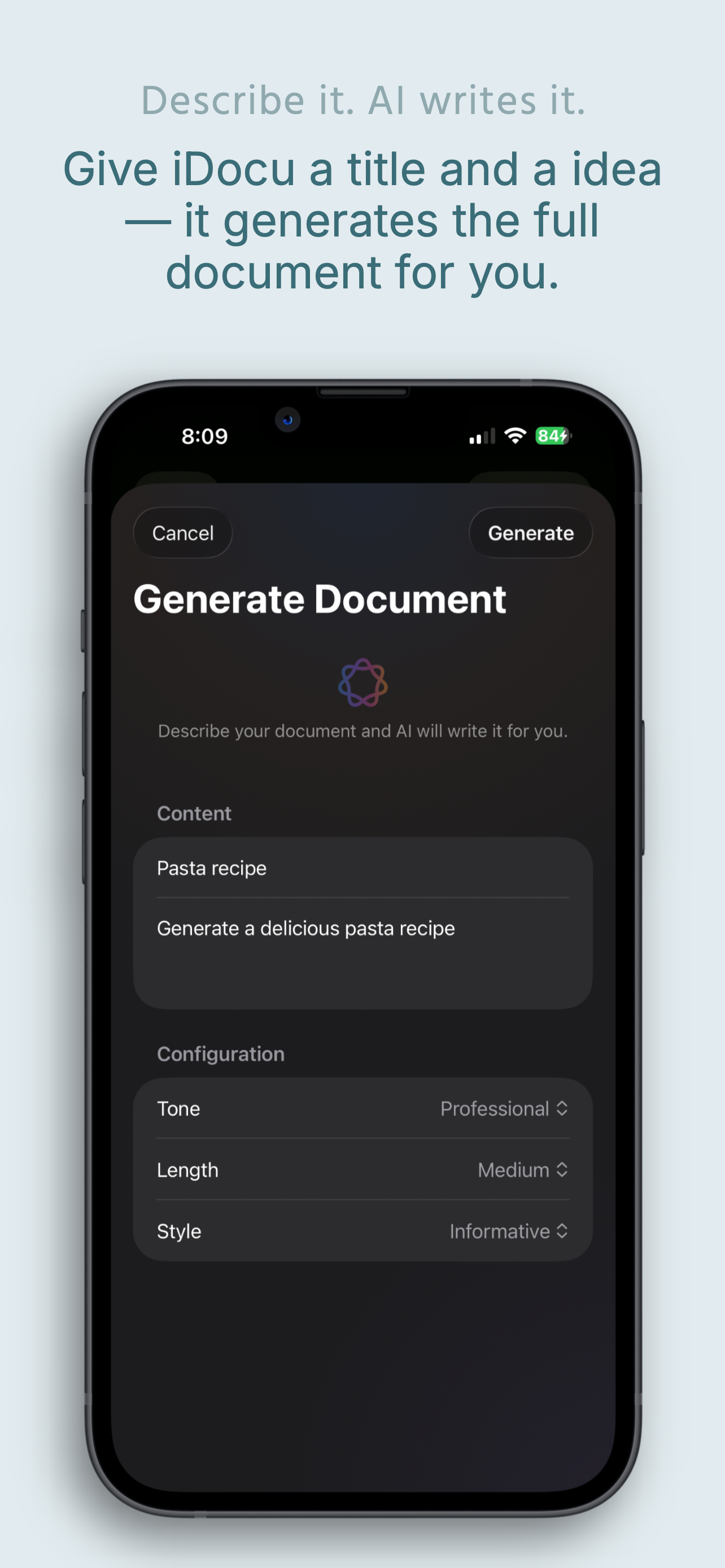
Give iDocu a title and an idea — Apple Intelligence generates the complete document for you. Letters, reports, recipes, essays, summaries, poems — any type of content, in any language. And when your content has numerical data, AI automatically generates charts to visualize it: bar, line, area, scatter, or pie — inserted right into your document.

  • Choose tone, length and style before generating
  • AI auto-generates charts when content has data worth visualizing
  • Generates in the background — get notified when done
  • Automatic language detection — write in any language, get it back
  • Optional web research for current, real-world facts
Generate Document screen with Apple Intelligence, tone, length and style configuration

From paper to intelligence. One tap.

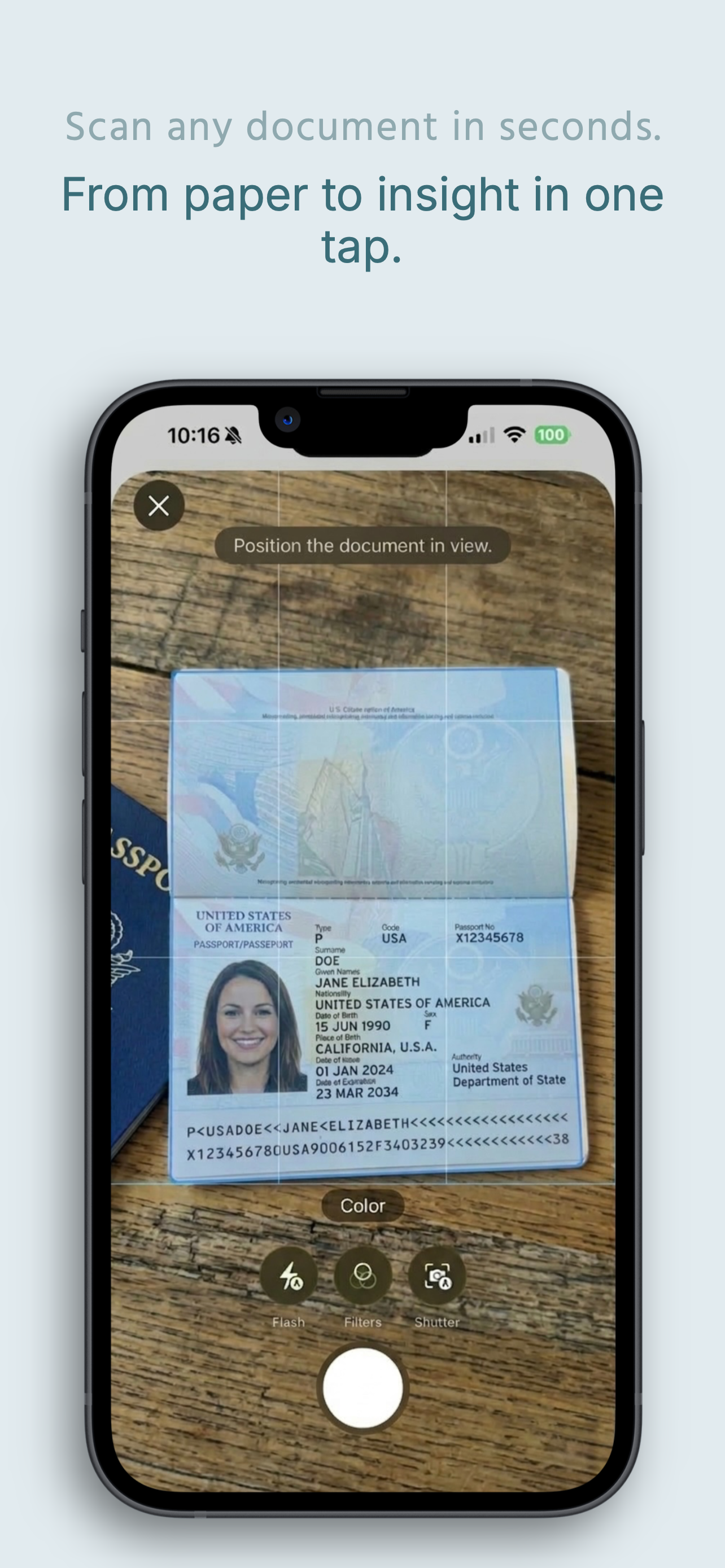
Point your camera at any document — passport, insurance card, warranty, lease, invoice. iDocu captures it in seconds and Apple Intelligence reads, understands, and structures every detail automatically.

  • Passports, insurance policies, contracts, invoices, medical records
  • Auto-detects document type and categorizes instantly
  • Zero manual tagging. Zero typing. Zero effort.
iDocu camera scanning a US passport

AI extracts every detail. Privately.

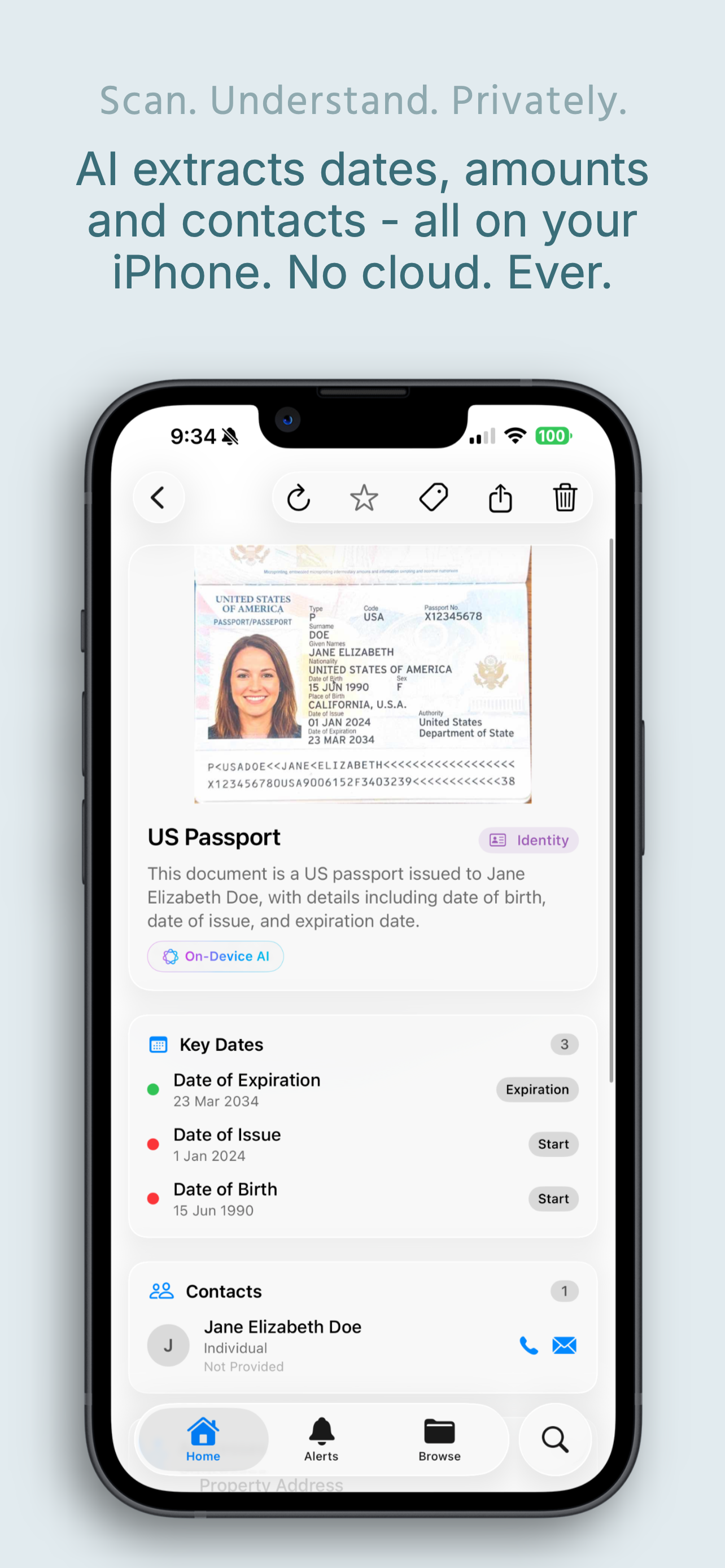
The moment you scan, Apple Intelligence extracts every date, contact, amount, and critical field — expiration date, date of birth, document number, issuing authority. All structured, all on-device. No cloud. Never.

  • Key Dates: expiration, issue date, start date — all automatically tracked
  • Contacts extracted with name, role, and contact info
  • On-Device AI — your data never leaves the iPhone
Structured data extracted from a scanned US passport — Key Dates and Contacts

AI that understands your documents.

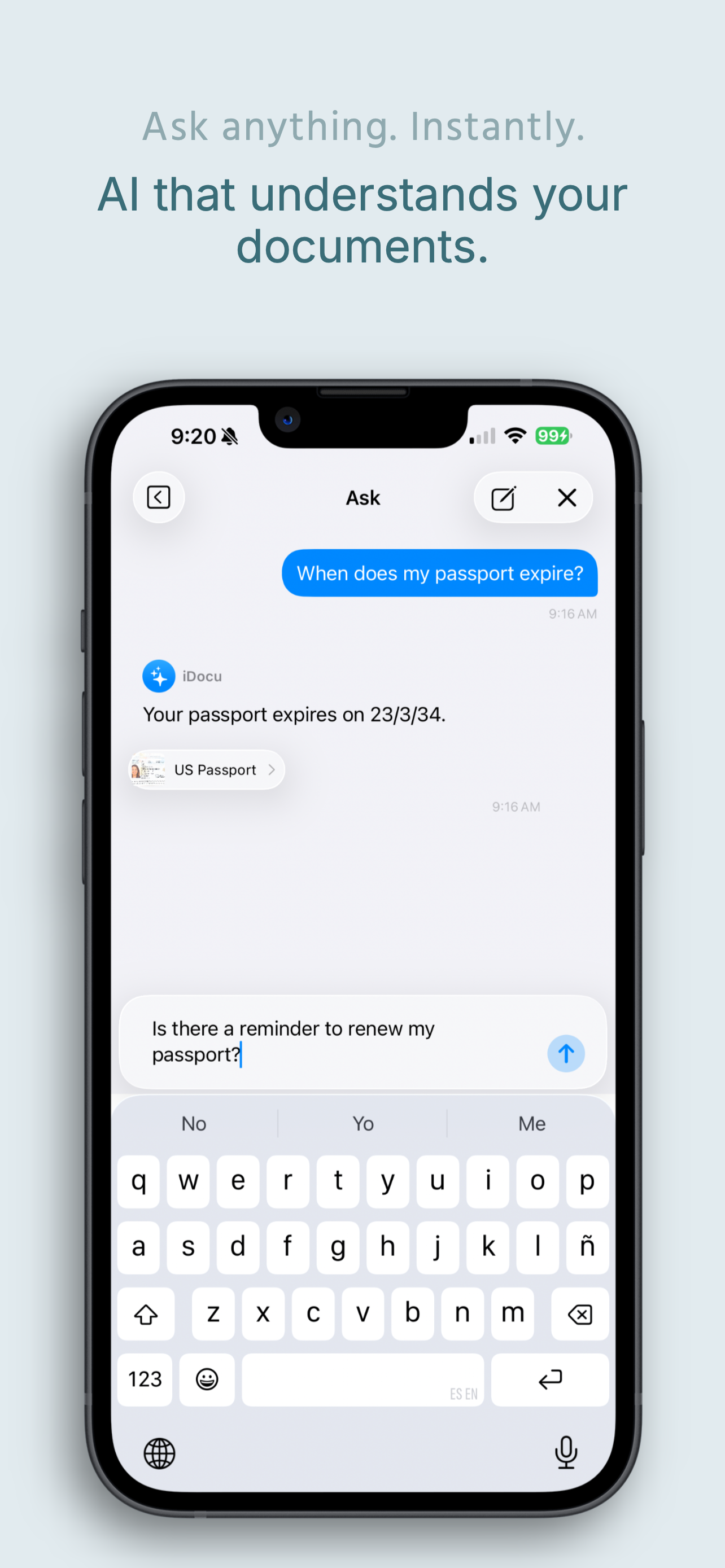
Type or speak any question about your documents and get a precise, cited answer in seconds. "When does my passport expire?" "What's my deductible?" "What's the early termination fee in my lease?" iDocu finds the answer and shows you exactly which document it came from.

  • Natural language — ask exactly how you think
  • Every answer cites the source document
  • Follow-up questions supported — full conversation flow
iDocu answering 'When does my passport expire?' with date and source document cited

Never miss a deadline. Ever.

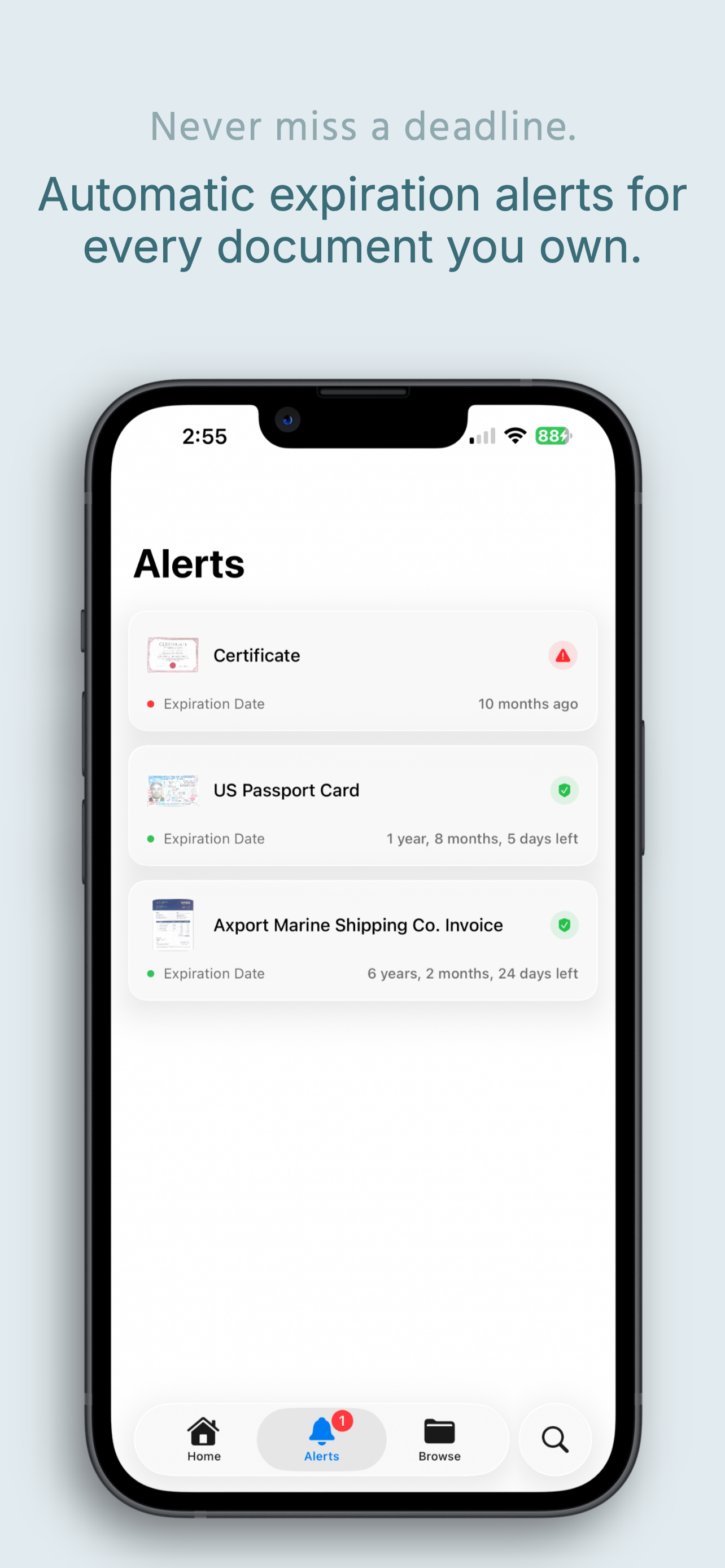
iDocu automatically tracks every expiration date, renewal deadline, and due date across all your scanned documents. You see at a glance what's expired, what's coming up, and exactly how much time you have left — before it's too late.

  • Certificates, passports, invoices — all tracked automatically
  • Color-coded urgency — red for expired, green for safe
  • Precise countdowns: "1 year, 8 months, 5 days left"
iDocu Alerts screen showing expiration countdowns for certificates and passports

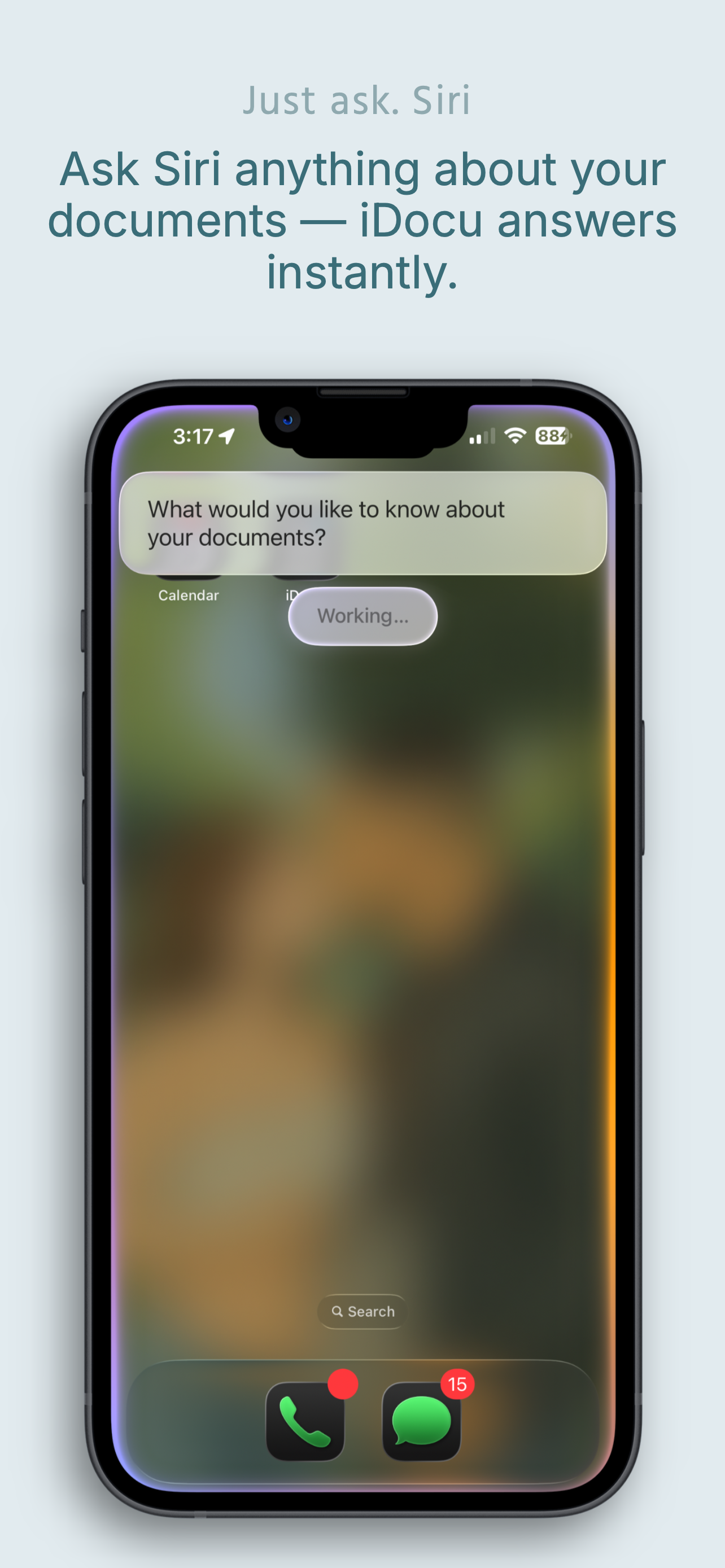
Just ask Siri. iDocu answers instantly.

Ask Siri anything about your documents without even opening the app. "Hey Siri, ask iDocu when my passport expires" — and iDocu answers instantly, pulling from your scanned documents. No unlocking. No browsing. Just the answer.

  • Siri integration — works directly from your Home Screen
  • Hands-free answers from your full document library
  • No app switching. No searching. Instant.
Siri on Home Screen querying iDocu about documents

Everything built in.
Nothing sent out.

A complete document toolkit powered by Apple Intelligence. Every feature runs entirely on your device — scanning, creating, asking, exporting.

Rich Text Editor

Apple Notes-style continuous editor. Titles, headings, bold, italic, bullet and numbered lists with multi-level indentation. Auto-saves every 3 seconds.

Charts & Data Visualization

5 chart types: bar, line, area, scatter, pie. Visual editor with real-time preview. AI auto-generates charts when your content includes numerical data worth visualizing. Double-tap to edit data, type, or colors.

PencilKit Drawings

Full-screen canvas with pencil, marker, eraser, ruler, and color picker. Compatible with Apple Pencil and finger. Drawings embed inline — double-tap to edit.

Image Annotations

Insert photos and annotate before embedding. Mark, highlight, draw over any image. Annotations are stored separately — the original image is always preserved for re-editing.

AI Rewriting

Select any text and rewrite in 6 styles: professional, casual, concise, expanded, summarized, or grammar-corrected. Works on any part of any document.

Optional Web Research

AI can search the web for current data when generating your document — only with your explicit authorization. Real-world facts, on-device output.

Multi-Format Export

Export as PDF (US Letter, Core Text rendering), Word (.docx with full image support), or RTF (compatible with Pages, TextEdit, any word processor). Full formatting preserved.

Generate from Source

Use an existing scanned document as a starting point. Generate a summary, formal report, key points list, or a reply letter in seconds — powered by Apple Intelligence.

100% Private by Design

All AI runs on-device via Apple Intelligence. Documents stored as RTFD in iCloud Drive. Light & dark thumbnails auto-generated. Zero server. Zero tracking.

Questions answered.

The irony of an app that answers questions about your documents having its own FAQs is not lost on us.

No. iDocu is a full document intelligence and creation platform. You can scan documents and ask questions about them forever. You can also create entirely new documents from scratch using AI — letters, reports, charts, recipes, contracts, anything — all running 100% on-device.

You give iDocu a title and a description. Apple Intelligence plans the structure, writes it section by section, and polishes the final result. You can set tone, length, and style before generating. When the content includes numerical data, AI automatically inserts charts to visualize it. It runs in the background — close the app and get a notification when done.

Anything that's in your documents. "When does my passport expire?" "What's my health insurance deductible?" "What's the early termination fee in my lease?" "What's the customer service number on my insurance card?" iDocu understands natural language and cites the source document with every answer.

No — and this isn't a policy promise, it's a technical reality. iDocu uses Apple Intelligence and the Neural Engine built into your iPhone. There are no servers to send data to. Web research for document generation is entirely optional and requires your explicit authorization. Everything else stays on your device, period.

PDF (paginated US Letter with 1-inch margins, rendered with Core Text), Word (.docx with full image and formatting support), and RTF (compatible with Pages, TextEdit, and any word processor). Every export preserves images, charts, and rich text formatting.

iDocu is free to download. The core experience — scanning documents, asking questions, the document editor, Siri integration, and widgets — is free. You can unlock iDocu+ for a one-time lifetime payment of $4.99 to get advanced AI-powered capabilities forever. Core features will always remain free.

Still have a question?

Contact Support

Scan. Ask. Create.
All on your iPhone.

Your most intelligent document tool. Completely private. Powered by Apple Intelligence. Free to download.

Download on the App Store