Microsoft Lens Is Gone. What You Actually Need Isn't Another Scanner.
Written by the iDocu Team — 6 min read
When Microsoft retired Lens, millions of people went looking for a replacement. And the internet gave them what it always gives: a list of scanner apps. Neat PDFs. Cloud storage. OCR. Maybe a signature tool.
All of it missed the point.
The reason people scanned documents with Microsoft Lens wasn't because they wanted PDFs. It was because they wanted their documents to be findable, searchable, available — without having to dig through a stack of papers at 11pm trying to remember what their deductible is, or whether their warranty already expired, or what the landlord's phone number is in the lease they signed two years ago.
What people actually wanted was their documents to be answerable.
The Scanner Trap
Every scanner app in the App Store solves the same problem: it creates a digital version of a physical document. And then it stops there, leaving you with a folder full of PDFs that are only marginally better than the paper pile they replaced.
You still have to remember which file has which information. You still have to open the document, scroll through it, and read it every time you need something from it. You still forget that your passport expires in three months until the airline check-in screen tells you.
Scanning documents without making them intelligent is just moving the pile from your drawer to your phone.
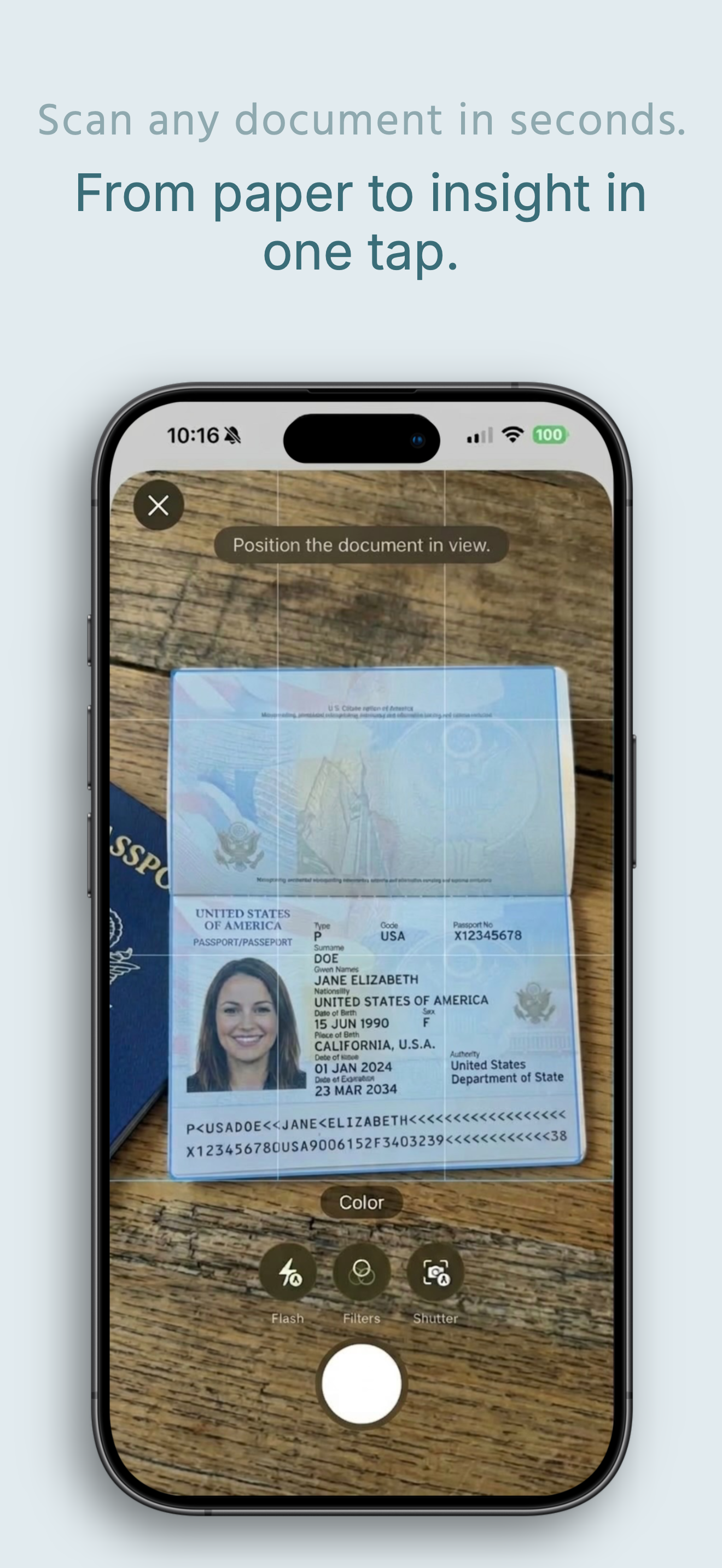
What "Answerable" Actually Means
We built iDocu because we experienced this problem ourselves. Important documents that were scanned, stored, and then essentially lost inside a cloud folder that required effort to interrogate.
The insight was simple: the right tool doesn't just capture a document. It reads it, understands it, and makes it permanently available to answer any question you ever have about it.
With iDocu, you scan a document once — your health insurance card, your car warranty, your lease agreement, your passport — and from that point forward, you can ask your iPhone anything about it:
- → "What's my deductible?"
- → "When does my car warranty expire?"
- → "What's the early termination fee in my lease?"
- → "What's the customer service number on my insurance card?"
- → "How much medical coverage do I have left this year?"
You get an answer in seconds, sourced directly from what you scanned. No browsing. No scrolling. No remembering where the file is.
Siri Integration Changes Everything
The step-change comes from Siri integration. You don't have to open iDocu to get your answers. You ask Siri — the same way you ask about the weather — and you get your answer without unlocking your phone.
Standing at a pharmacy counter and not sure what your prescription coverage is? Ask Siri. At an airport check-in and blanking on your passport expiry date? Ask Siri. Getting a quote for home repairs and forgetting what your policy covers? Ask Siri.
This is what Microsoft Lens could never do: turn your passive documents into active, living knowledge that your phone can surface on demand.
It Warns You Before Things Go Wrong
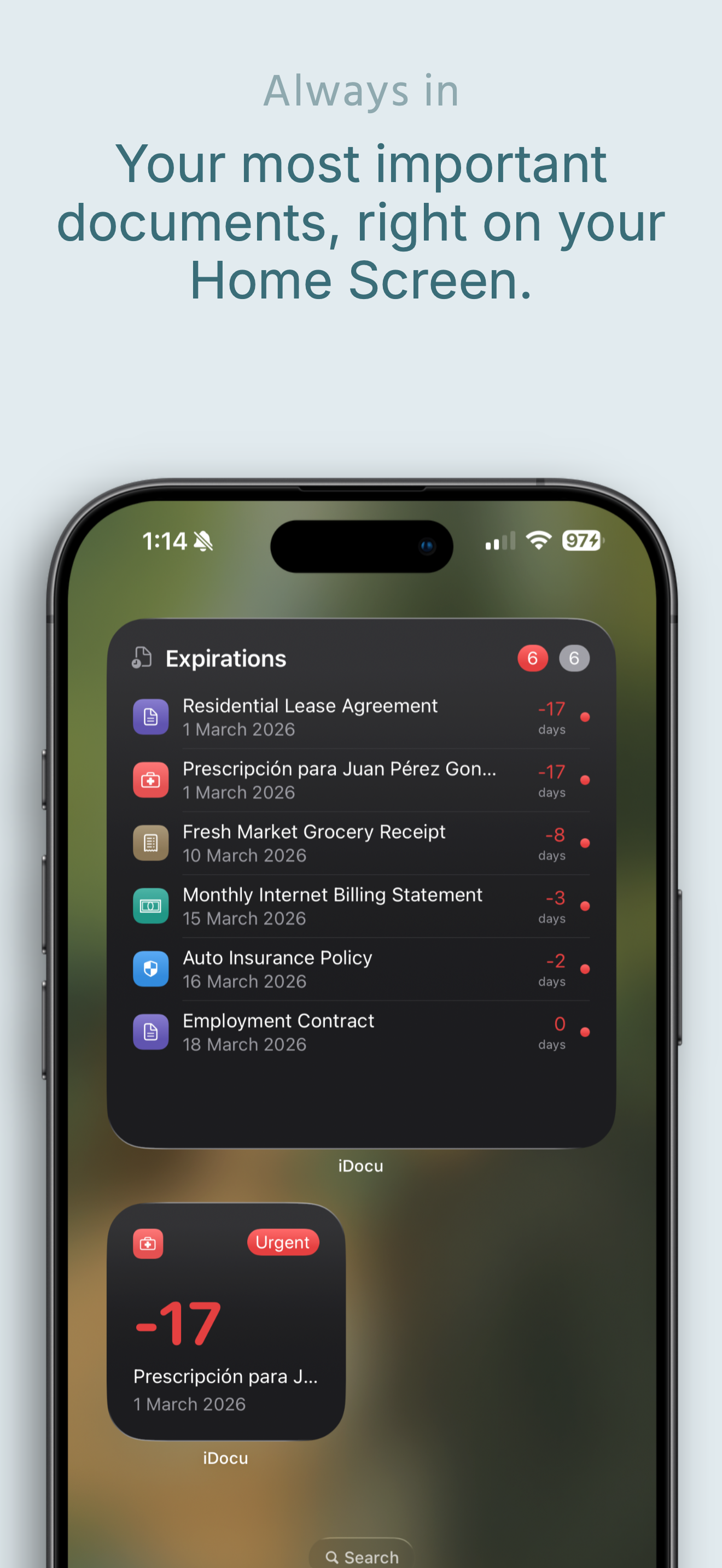
Beyond answering questions, iDocu builds a proactive timeline from your documents. It extracts every expiration date, renewal deadline, and due date and turns them into native iOS alerts — delivered before anything becomes a problem.
Your passport renewal. Your car insurance renewal. Your lease end date. Your warranty expiration. You get a notification weeks in advance, not the day after.
On your Home Screen or Lock Screen, widgets surface what's coming up soonest — the documents that need your attention right now, without you having to remember to check.
The Most Important Detail: It Never Leaves Your Phone
Every scanner alternative worth avoiding has the same dirty secret: it uploads your documents to a cloud server to process them. Your insurance policy, your medical records, your passport details — all traveling to servers you know nothing about, processed by systems you don't control, stored in databases that can be breached.
iDocu runs entirely on your iPhone using Apple Intelligence and the Neural Engine. There are no servers. We have never seen a single document from any user. Everything that happens stays on your device, protected by the security of iOS itself.
This isn't a privacy policy promise. It's a technical reality — there is no infrastructure to send your data to.
The Right Question to Ask
When you're looking for a replacement for Microsoft Lens, the question isn't "which app makes the best PDF?" It's "which app makes my documents actually useful after I scan them?"
The answer to that question isn't a scanner. It's iDocu.
Scan once. Ask forever. Completely private. Completely free.
Ready to stop searching through documents?
Scan your insurance, contracts, passports, and warranties once. Ask your iPhone anything about them forever.